 Sinch Agentic Tools

 Sinch SDKs


 Sinch CLI & Functions
Sinch Voice API: Choosing between v1 and v2
For all new projects, please use Voice API v2. This is especially important for projects involving:
- AI capabilities like Streams and Voice Relay
- Voice campaigns like Batch calling
You should only use the older Voice API v1 if one of the following is a strict requirement:
- The project must be in General Availability (GA).
- The project requires In-App voice or Conferencing (until these features are available in v2).
Receiving calls from Sinch platform to your SIP infrastructure
You can route any type of call from the Sinch platform to your SIP server.
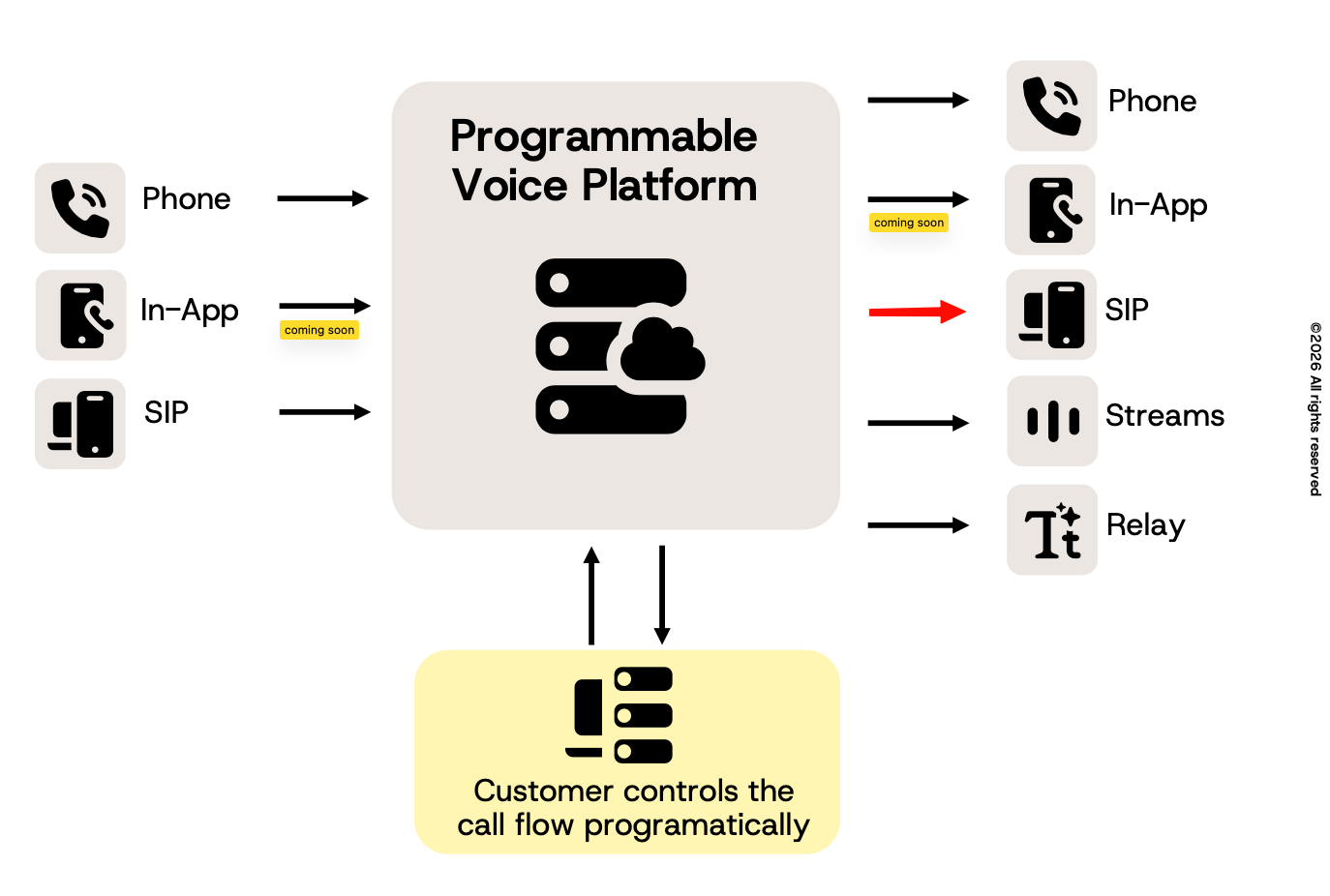
There are two options for routing calls: SIP forwarding and Callbacks.
You can automatically forward calls to your SIP server using the SIP forwarding option in the Sinch Build Portal (setting available under: Voice and Video >> Apps >> Settings >> Handle call events with >> SIP Forwarding).
To Configure SIP forwarding see below SIP URIs options.
Valid SIP URIs
> sip:22444032@213.213.1.213
>
> sip:22444032@yoursipserver.com
>
> sip:22444032@yoursipserver.com:5061
>
> sip:22444032@yoursipserver.com:5061;transport=tls - optionally provide transport protocol: udp (default), tcp, or tls
>
> sip:{number}@yoursipserver.com - {number} will be replaced by the Inbound Number connected to each callIf you want a private header in incoming calls to your SIP infrastructure use callHeaders property in dial action in your callback response.
Example of ICE response:
{
  "action": {
    "name": "connectSip",
    "callHeaders": [
      { "key": "X-My-Private-Header-1", "value": "bar" },
      { "key": "X-My-Private-Header-2", "value": "qux" }
    ]
  }
}
Please note that SIP header names will be prepended with X-, if missing (for example My-Private-Header => X-My-Private-Header).
Limitations:
- The maximum size of private SIP headers is 1024 bytes
- Max length of header name is 50 characters
Example SIP INVITE sent to your SIP infrastructure:
> Request-Line: INVITE sip:+123456789@52.214.25.57:5060;transport=udp SIP/2.0
>
> Via: SIP/2.0/UDP 206.146.136.0:5060;branch=z9hG4bK04d7
>
> From: <sip:+46733478561@18.194.168.245>;tag=as386cfb27
>
> To: <sip:+123456789@52.214.25.57:5060;transport=udp>
>
> Contact: <sip:+46733478561@206.146.136.0;did=27e.fecc2a1>
>
> X-My-Header: This is my header